
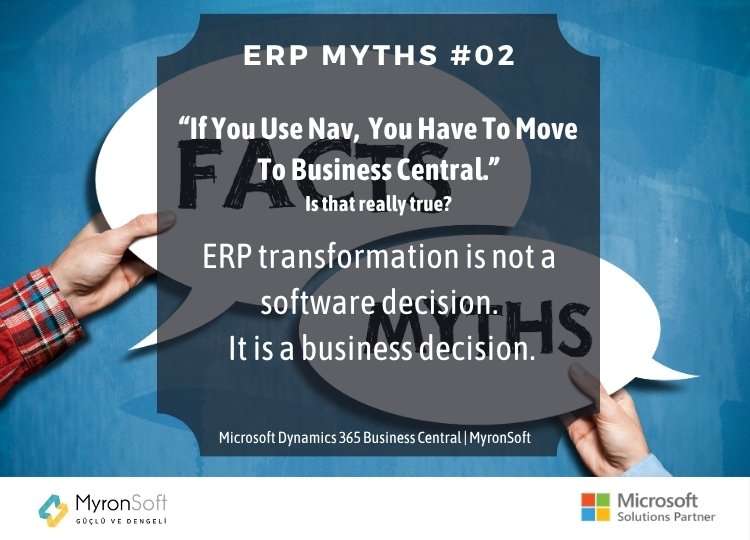
ERP Myths #02 Microsoft Dynamics NAV Upgrade
Using NAV is not automatically a problem
Microsoft Dynamics NAV has supported thousands of organizations around the world for many years, covering finance, inventory, sales, purchasing, manufacturing and operational processes.
Many companies have also built highly specific business processes on top of NAV over time.
Therefore, the fact that a company still uses NAV does not automatically mean:
“You need to replace it.”
The first step should be understanding whether the existing system still meets the organization’s current and future requirements.
How is performance?
How healthy is the data structure?
How much customization exists?
How reliable are the integrations?
Are reporting requirements being met?
Is the user experience sufficient?
Can the existing infrastructure meet current security and operational expectations?
How is the company expected to evolve over the next few years?
Without answering these questions, simply saying “NAV is old, Business Central is new” does not constitute a sound ERP strategy.
Why is moving to Business Central important?
There is another side to the discussion.
Business Central is not simply NAV with a new name.
Microsoft’s cloud-oriented ERP approach provides a different operating model, with continuous platform updates, deeper integration with Microsoft 365, Power Platform, Copilot, AppSource and modern integration capabilities.
For many organizations that have been running NAV for years, Business Central can therefore represent a significant transformation opportunity.
But an opportunity is not the same as an obligation.
The decision to migrate should be driven by business requirements, not by a sales statement.
The biggest mistake: trying to move the old NAV exactly as it is
This is one of the most critical issues in NAV-to-Business Central projects.
An organization may have accumulated years of development on its NAV environment.
Custom reports.
Custom tables.
Custom workflows.
Integrations.
Extensions.
User-specific screens.
Business rules developed internally.
Over time, however, organizations may lose track of which customizations are still genuinely necessary and which were created to address problems that no longer exist.
In that situation, the approach of:
“Let’s reproduce everything from NAV in Business Central.”
can be a serious mistake.
It may simply transfer the technical debt of the old system into the new environment.
The right question is not:
“What can we migrate?”
It should first be:
“What actually needs to be migrated?”
Migration is not a copy-and-paste exercise
A successful NAV-to-Business Central transformation requires more than moving data.
The existing environment needs to be analyzed first.
Which customizations are actually being used?
Which ones are no longer necessary?
Which processes can be handled through standard Business Central functionality?
Which processes should be redesigned?
Which integrations should remain?
Which should be rebuilt?
Which data needs to be migrated?
Which historical data can be archived?
Which processes are actually being handled outside the ERP?
The answers to these questions define the scope of the migration.
A good migration project therefore does not simply:
copy the old system into the new system.
It analyzes the experience embedded in the old system and redesigns it around the organization’s future requirements.
“Let’s use standard Business Central and change nothing.”
This is simply another extreme.
As we discussed in ERP Myths #01:
Unnecessary customization is a problem.
But that does not mean every customization should be eliminated.
Some organizations have processes that create genuine competitive advantage.
Some industries have specific regulatory or operational requirements.
Some integrations are essential parts of the business operation.
The objective should therefore not be:
100% standard functionality at any cost.
It should be:
Remove unnecessary customization while preserving genuinely necessary capabilities through the right architecture.
Knowing the difference requires technical expertise.
When should a NAV company consider moving to Business Central?
There is no single mileage marker or deadline that answers this question.
However, several conditions can indicate that a serious evaluation is appropriate:
- The existing NAV environment is struggling to support business growth.
- The maintenance cost of legacy customizations is increasing.
- Integrations are becoming increasingly difficult to manage.
- Reporting and data access are no longer sufficient.
- The organization needs stronger integration with the modern Microsoft ecosystem.
- There is a need to leverage technologies such as Power Platform or Copilot.
- The sustainability of the existing infrastructure is becoming a concern.
- The company expects to expand through new entities, locations or operations.
In these situations, a move to Business Central may represent a significant opportunity.
But the decision should still be based on analysis.
Moving to Business Central is not an IT project
This may be the most important point.
A NAV-to-Business Central transformation should not be treated as a technology project owned exclusively by IT.
What does Finance need?
How does Sales operate?
How does Operations work?
What data does Manufacturing generate?
What reports does management require?
What problems do users experience today?
What is the company’s growth strategy?
All of these factors influence the migration architecture.
A successful ERP transformation requires alignment between:
IT + Finance + Operations + Management + User Experience
“Should we move?” may not be the right first question
For a NAV customer, the first question should perhaps not be:
“Should we move to Business Central?”
Better questions are:
Does our current NAV environment meet our business requirements today?
Will it continue to do so over the next three to five years?
Which of our customizations are genuinely necessary?
What processes could we improve by moving to Business Central?
What business value would the investment generate?
Which processes should be redesigned rather than simply migrated?
Once these questions are answered, moving to Business Central stops being a matter of “necessity.”
It becomes a strategic opportunity.
The MyronSoft approach
At MyronSoft, we do not view NAV-to-Business Central transformation simply as a software migration project.
First, the existing environment needs to be understood.
Then, the elements that genuinely need to be preserved must be identified.
Unnecessary technical debt should be removed.
Business Central’s standard capabilities should be used wherever appropriate.
Custom development should be introduced where it genuinely adds value.
Integrations should be reassessed.
Data should be structured correctly.
And all of these decisions should be evaluated against the organization’s future requirements.
Because a successful NAV-to-Business Central project should not be measured by:
“We moved from the old system to the new one.”
The real measure of success is:
“We can now run the business better.”
Conclusion
If you use NAV, you may need to move to Business Central.
But not simply because you use NAV.
You should consider the move when your business requirements have evolved, your current environment is becoming a constraint, and Business Central can deliver meaningful business value.
The most dangerous ERP strategy is changing technology without questioning why.
The second most dangerous is keeping the existing system simply because it is familiar.
Between those two extremes lie analysis, experience and sound architecture.
Because an ERP migration is not a software decision.
It is a business decision.